 English
 Arabic
 Chinese (Simplified)
 Dutch
Dutch French
 German
 Italian
 Portuguese
 Russian
 Spanish
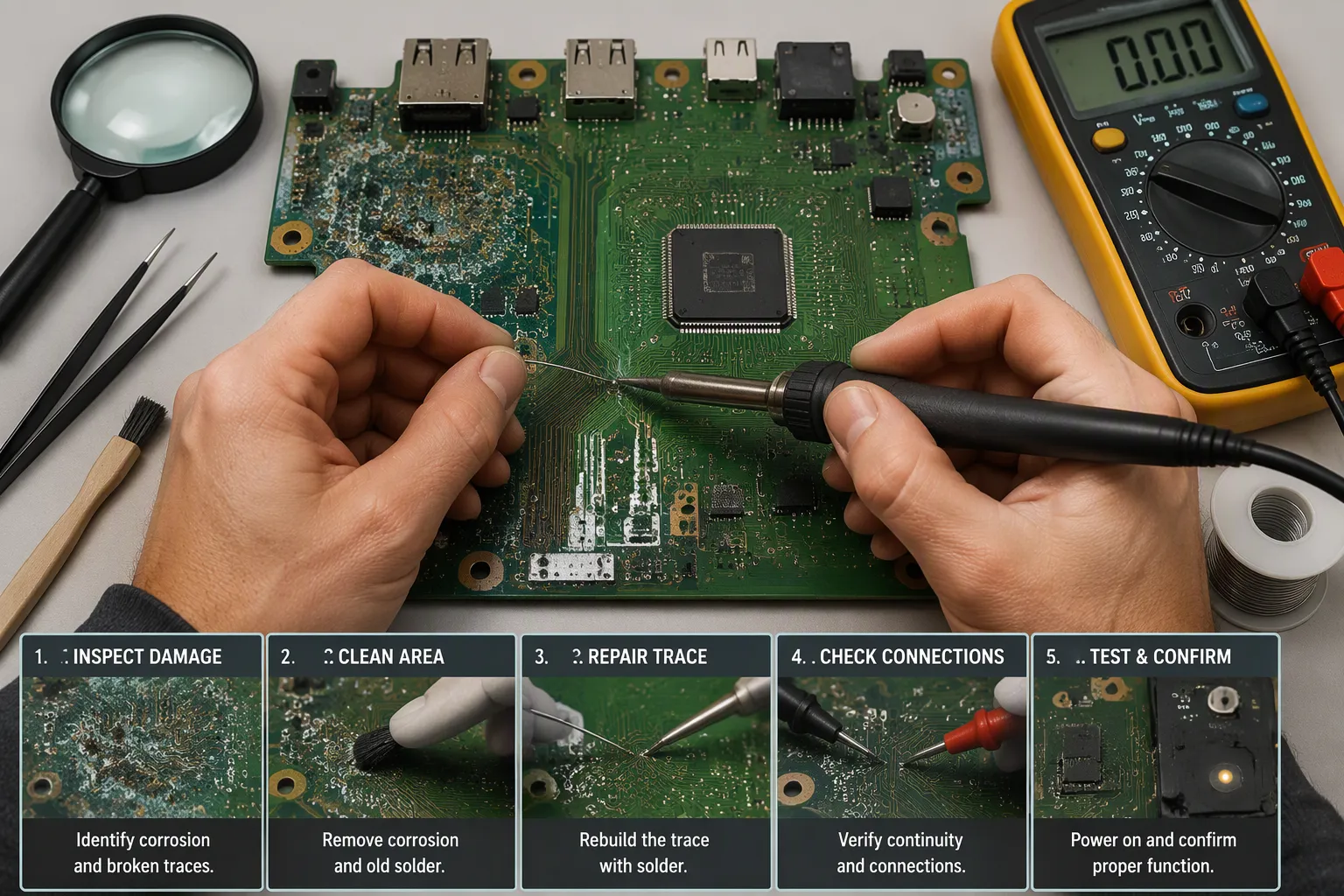
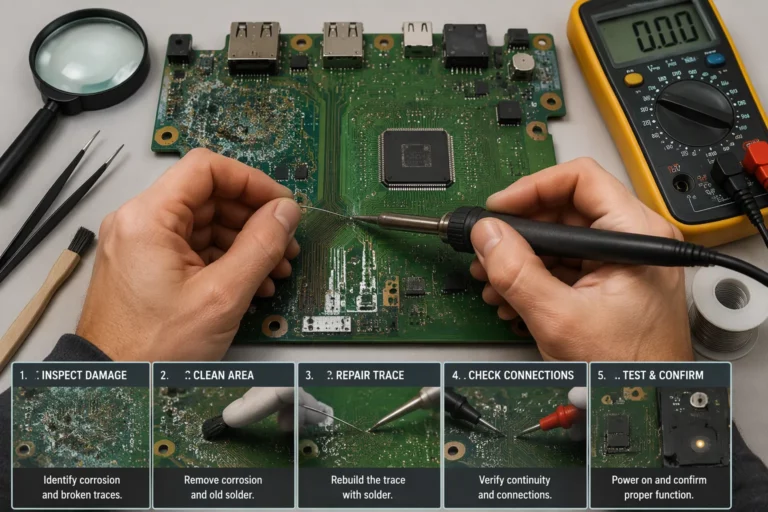
Finding green crust or white powder on a circuit board can feel like a disaster. Take a breath. Most pcb corrosion is surface damage, and you can often fix it at your workbench. The work follows a clear path: make the board safe, find the damage, clean it away, rebuild the broken connections, and test the result. Each stage matters, and skipping one usually costs you time later.
A corroded trace or pad rarely means the end of the board. With the right tools and steady hands, hobbyists and professionals alike can bring a repair to a successful finish. Patience matters more than speed here.
Key Takeaways
Always turn off the power and check for any leftover voltage before you touch the board.
Use a multimeter to find broken traces and shorts before you begin repairs.
Clean the corrosion by matching the neutralizer to the type of leak, then rinse and dry it fully.
Fix broken traces with a jumper wire that is the same width as the trace, and insulate the joint.
Check the fix using a power supply with a current limit, and swap out the board if the damage goes deep.
Safety and Tools for PCB Repair
Safety Precautions
Your first step is always to cut the power. Take out the battery and unplug the board from any power source. Then check that no voltage is left with your multimeter before you touch any component. Leftover charge can stay in capacitors long after you turn off the switch.
Common accidents during pcb repair follow patterns you can predict, and each one has an easy way to prevent it.
Common Safety Incident | Prevention Measure |
|---|---|
Electrical shock from live or leftover circuits | Check that no voltage is left with a multimeter; cover exposed wires; ground all test equipment |
ESD damage to sensitive components | Wear a grounded anti-static wrist strap and work on an anti-static mat |
Overheating during soldering (pad lift, trace damage) | Stay away from temperatures above 400°C for long periods |
Improper storage (humidity, dust corrosion) | Store boards in anti-static bags; keep humidity below 60% |
Physical damage from too much force | Hold boards by the edges; never bend or twist multilayer boards |
Workspace accidents (clutter, poor visibility, fires) | Organize tools, make sure lighting is good, keep a fire extinguisher and first-aid kit nearby |
Work in a space with good airflow or under fume extraction. Flux smoke bothers your lungs over a long session. Wear eye protection too, because solder splashes and clipped leads fly off without warning.
Essential Tools and Materials
A controlled soldering station works better than a fixed-wattage pencil for most jobs. For general electronics, 60W is the practical sweet spot. Pick 30W for light, occasional joints and 80W when you often work on high-mass joints. Start your soldering iron at 330–350°C when no process specification exists, and match tip size to the pad. A tiny conical tip moves heat poorly; a wider chisel covers heavy joints without raising the station temperature.
Beyond the iron, gather a multimeter, isopropyl alcohol, flux, solder, and desoldering braid. Add wire jumper material for trace repairs and magnification tools for inspection. Good lighting and a tidy bench complete the kit. These basics get you through most pcb repairs from start to finish.
Diagnosing PCB Corrosion
Visual Inspection
Use your eyes first before you pick up any tool. Put the board under good light and use a magnifier or a stereo microscope. Look for green crust, white powder, or dark pitting around pads, pins, and trace edges. These marks show you where corrosion has eaten into the metal.
Follow every trace that runs near a leaky capacitor or a battery holder. Corrosion often spreads outward from the source. Check the underside of the board too, since electrolyte can wick through vias. Note each suspect area on a sketch. This map guides your later repair work and helps you diagnose a pcb fault without guesswork.
Continuity Testing
Visual inspection and multimeter testing work as a team. Set your meter to continuity mode and probe two points that the netlist says should connect. A low resistance, under 1 ohm, or a beep confirms trace continuity. No beep or a high reading means an open circuit, so you have found broken pcb traces.
Test Scenario | Typical Reading | Interpretation |
|---|---|---|
Probing two points that should be connected | Low resistance, under 1 ohm, or a beep | Continuity confirmed, trace is intact |
Probing two points that should be connected | No beep or high resistance | Open circuit, trace is broken |
Probing adjacent traces that should not connect | Low resistance or a beep | Short circuit, unintended connection |
An OL reading confirms a complete break. If a resistance value appears instead of a beep, compare it against a similar functional trace on the same board. A higher-than-normal resistance points to partial trace damage, such as hairline cracks or corrosion. This method helps you diagnose a pcb fault with confidence. Re-test after repair and before you apply any protective coating.
How to Clean Corrosion Off a Circuit Board
Neutralizing and Removing Corrosion
Cleaning begins with figuring out what the residue is. Check its color and where it sits, then trace it back to a source. The table below links common contaminants to where they come from.
Corrosive Contaminant | Source(s) |
|---|---|
Flux residue | Chemical flux used during soldering; left behind if not cleaned after assembly |
Ionic contamination (salts/acids) | Flux residues and human handling during assembly |
Dust and particulate matter | Manufacturing environment or field exposure over time |
Oils and fingerprints (salts) | Human handling during assembly |
Moisture and humidity | Environmental exposure; acts as a catalyst that dissolves ionic residues and accelerates corrosion |
Flux residues, especially those with active chemical parts, can react with metal surfaces over time and corrode traces and pads. Moisture is not really a contaminant, but it acts as a catalyst: it dissolves ionic residues, raises conductivity, and speeds up corrosion, especially on boards without conformal coating.
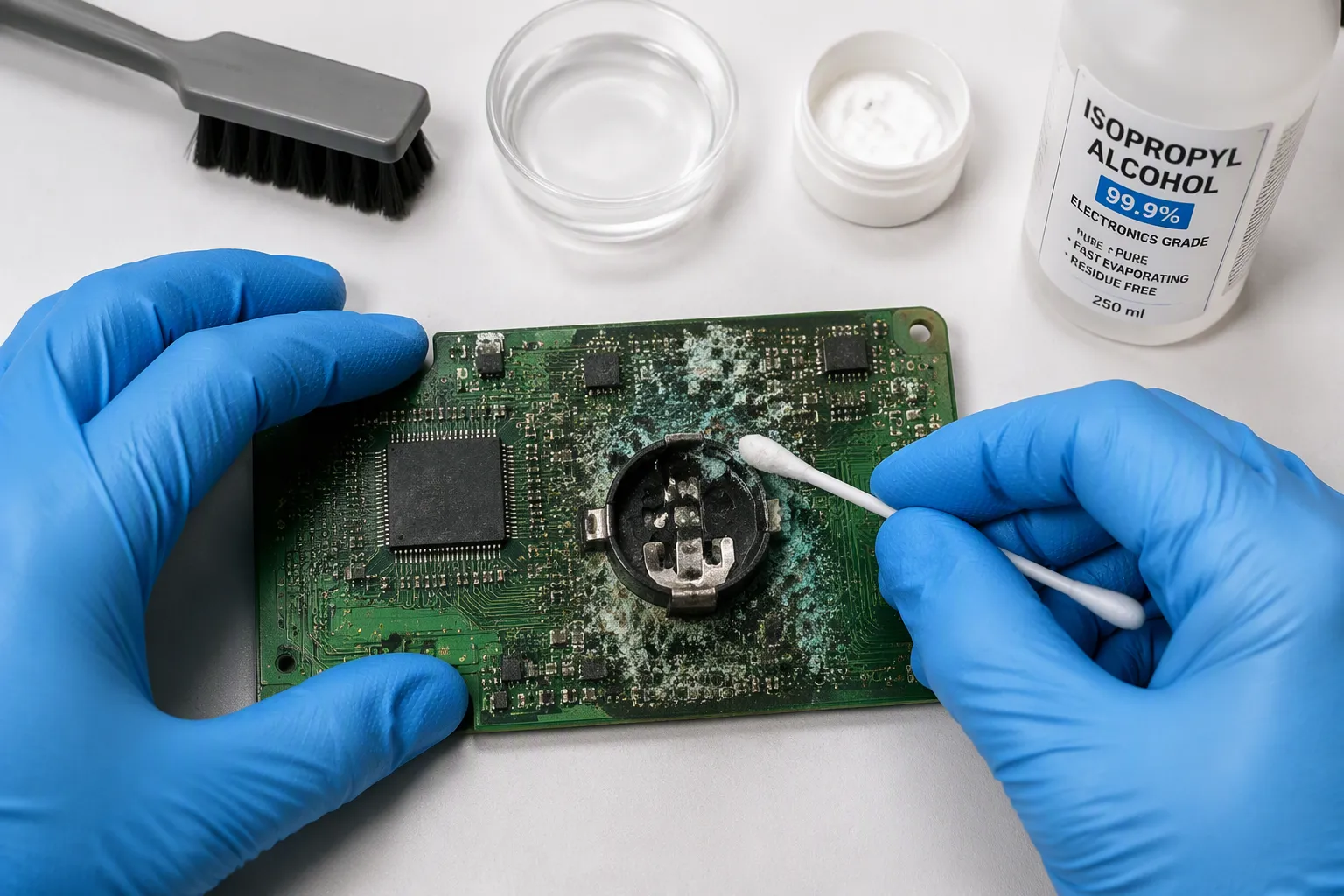
Battery and electrolyte damage needs special care. Match the neutralizer to the leak chemistry, not to habit.
Corrosion Type | Neutralizing Agent | Application Method | Post-Treatment |
|---|---|---|---|
Alkaline (e.g., potassium hydroxide from alkaline battery leaks) | White vinegar (acetic acid) | Apply with cotton swab or brush; let fizz and sit a couple of minutes; scrub gently to lift carbonate crust | Rinse with distilled water, then IPA rinse; dry fast to prevent oxidation |
Acidic (e.g., Ni-Cd battery leaks) | Baking soda paste | Apply paste to corroded areas; let react; scrub gently | Rinse with distilled water, then IPA rinse; ensure fast drying |
Baking soda also works as a mild abrasive. It lifts light surface oxidation without harming components. Rinse well afterward. Once the chemistry is neutralized, switch to isopropyl alcohol and a soft brush. Work from the clean area toward the damaged zone so you do not spread salts. This is the heart of how to clean corrosion off a circuit board: neutralize first, then flush.
Drying and Preparation
Water hides under chips and inside connectors. Blow it out with clean, dry compressed air. Pat the board with lint-free wipes to soak up most of the moisture. Then let it air-dry for at least 30 minutes.
For reliable results, bake standard FR-4 boards at 85°C–105°C for 2–4 hours. Never go above 125°C, or the epoxy breaks down. Use the lower end of that range when components are already mounted. Highly moisture-sensitive parts such as ICs and LEDs may need as low as 75°C for up to 48 hours; check the datasheet. Cool the board inside the oven for at least 30 minutes to avoid thermal shock.
After any wet cleaning, make sure the board is completely dry before reassembly or power-up. Do not rush to power the board on until you are sure it is dry. Proper drying keeps leftover moisture from causing short circuits or corrosion later.
Inspect the surface under magnification before you start pcb repair. Scrape away loose oxide with a fiberglass pen until you see shiny copper. Clean the area again with IPA and let it evaporate. A dry, bright surface gives flux and solder something to bond to. Skipping this step is the most common reason a repair fails early.
PCB Repair for Traces and Components
How to Repair a Broken PCB Trace
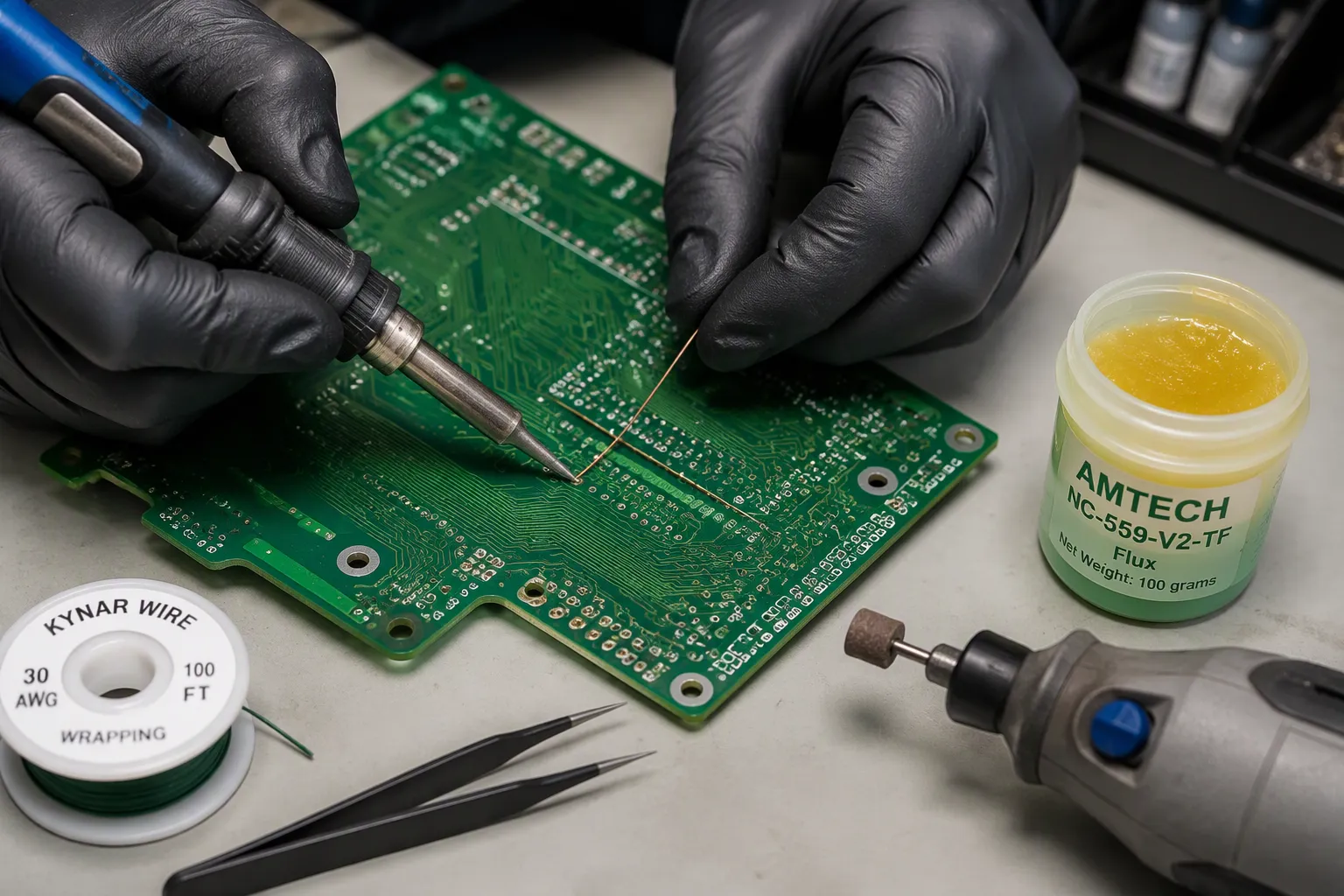
You now have a clean, dry board. Next comes the rebuild. Learning how to repair a broken pcb trace starts with exposing fresh metal. Scrape about 3 mm of solder mask from both sides of the break with a rotary tool and a grinding bit. Clean the dust with isopropyl alcohol.
Follow these step-by-step pcb trace repair methods:
Select a jumper wire that matches the damaged trace width, such as #34 AWG for a 0.010″ trace or #26 AWG for a 0.082″ trace. Kynar or enamel-coated solid wire works well.
Apply flux to both exposed ends and tin them with your soldering iron.
Position the wire so it overlaps the copper by at least twice the trace width. Keep the work at least 3 mm from other components.
Solder both ends, then anchor the wire with two-part epoxy or tape dots.
Copper foil tape offers another route. Cut a foil jumper that overlaps the conductors by at least twice their width, activate its adhesive with a hot tip, and solder both ends. This approach suits a broken external trace on a flat surface.
Insulate the finished joint with epoxy or a coating pen. This step helps protect a trace repair from corrosion later. A solid wire jumper repair restores current flow, and careful insulation keeps moisture away from the new metal.
Replacing Damaged Components
Some corrosion kills a part outright. You then face how to repair a pcb by swapping that component. Multi-pin ICs demand the most care. KING FIELD, with over twenty years of PCB assembly experience, relies on proven removal methods for these packages.
Method | Best For | Key Procedure |
|---|---|---|
Hot Air Rework | SMD multi-pin ICs | Flux the pins, heat at 300–400°C with moving airflow until solder glistens, then lift with ESD tweezers |
Solder Suction | Through-hole joints | Melt the joint, place the nozzle, release the plunger to vacuum solder |
Low-Melt Alloy | Multi-lead SMDs and connectors | Mix low-melt alloy onto all pins, keep joints molten, lift the part, clean pads with braid |
Desoldering Braid | Cleanup and through-hole | Place fluxed braid over the joint, apply heat, wick solder, lift together |
The hot air gun method and the solder suction method cover most situations. Preheat large boards before hot air work. Clean every pad with braid before you seat the replacement.
Complex assemblies and multilayer boards often exceed bench capability. KING FIELD provides professional PCB assembly and component sourcing for exactly these cases. Their team handles fine-pitch parts and full testing, so your pcb repairs meet a consistent standard.
Testing and Replacement Decisions
Testing the Repair
Start your check with the meter, not the power switch. Run continuity tests on every rebuilt connection. Compare each reading with a good trace nearby. A beep or a low resistance reading means current can flow again. You should also probe between neighboring traces to rule out solder bridges. This step catches most mistakes before any voltage reaches the board.
So how do you test a pcb after repair under real power? Use a bench supply with the current limit set low. Then raise voltage slowly while you watch the draw. A healthy board settles at a steady current. A sudden jump means a short, so cut power at once. Check that every component stays cool and that the output voltages match the design. Knowing how to test a pcb after repair this way protects both your work and your bench.
When to Replace the Board
Some boards pass testing and still fail in service. Watch for patterns that point to deeper damage. The table below lists the warning signs and what each one tells you.
Sign | Observable Indicators | Why It Points to Replacement |
|---|---|---|
Overheating or burn damage | Darkened board areas; charred parts near power zones; warped substrate | Heat damage is cumulative and weakens the board structure |
Power failures | Inconsistent power-on; random shutdowns; repeated fuse or regulator failure | The board can no longer manage current flow reliably |
Intermittent performance | Random resets; faults that change with temperature or movement | Tiny cracks in joints and traces make continuity unstable |
Physical damage or corrosion | Cracks, delamination, residue around traces, leaking capacitors | Damage reaches internal layers and degrades conductive paths |
Recurring shorts | Frequent blown fuses; multiple parts failing over time | Replacing single parts will not fix the root cause |
Weigh the cost of more pcb repairs against a replacement. A single damaged trace is worth fixing. A board with several failing nets, charred substrate, and unstable power delivery rarely rewards more effort. Stop, document what you found, and swap the board. That decision saves money and prevents repeat failures in the field.
You now have a full path from a corroded board to a working one. Make the board safe first, then inspect it closely and test continuity with your multimeter. Clean the residue, replace dead parts, bridge broken traces, and finish with a power-up check. Each phase depends on the one before it.
Patience carries you through every stage of pcb corrosion work. Careful, slow steps beat rushed ones. Fixing corrosion is a rewarding skill that saves time and money, and your repair skills grow with each board. Still, knowing when a board is beyond repair counts just as much. That judgment protects your bench and your budget.
FAQ
Can you fix a corroded circuit board, or is it ruined?
Most corrosion sits on the surface, so you can usually fix it. Clean the residue, check continuity, and rebuild any broken traces. A board with charred substrate or many failing nets is the exception. Judge each case on the damage you find.
What should you use to clean corrosion off a board?
Match the cleaner to the leak. Use white vinegar on alkaline battery residue and a baking soda paste on acidic leaks. Rinse with distilled water, flush with isopropyl alcohol, and dry fully. Never power up a wet board.
How do you know a trace is actually broken?
Set your multimeter to continuity mode and probe two points that should connect. A beep or a reading under 1 ohm means the trace is intact. No beep or an OL reading confirms a break. Compare odd readings against a healthy trace nearby.
Can you solder a jumper wire over a damaged trace?
Yes. Expose about 3 mm of copper on both sides of the break, flux and tin the ends, then solder a wire that matches the trace width. Overlap the copper by at least twice the trace width and insulate the joint afterward.
When should you stop and replace the board instead?
Stop when damage reaches internal layers. Watch for charred substrate, delamination, recurring shorts, or several failing nets. A single trace is worth a repair. A board with unstable power delivery rarely rewards more effort, so swap it and document what you found.